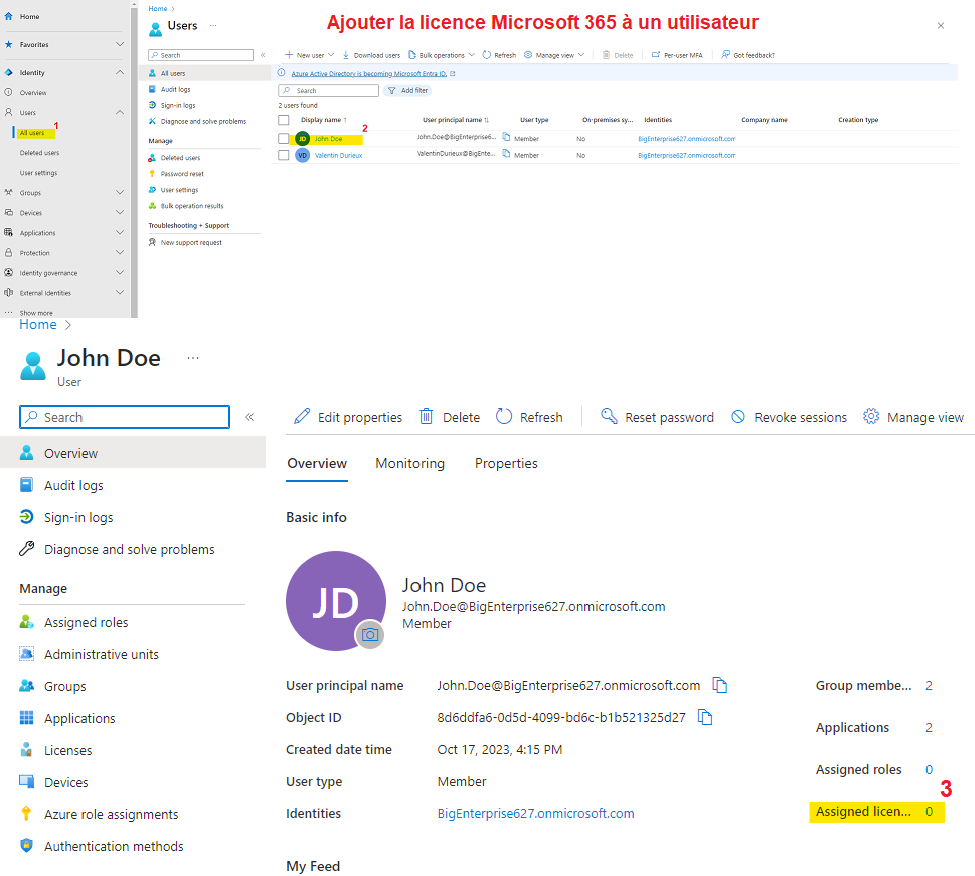
Add the Microsoft 365 license to the user
First, you need to activate the Microsoft 365 license for the user who will be used to sign in to the application.
To do this, go to the Microsoft admin center and open the Users section of the Identity area, then click All users. Next, click the user for whom you want to add the Office 365 license. On the user page, click Assigned licenses.
On this page, click + Assignments and then choose the Microsoft 365 license.