Add application permissions in Entra (for Graph API)
To communicate with the Graph API and obtain the desired data (users, groups, company data, etc.), it is necessary to add application permissions.
For example, the Graph API (Microsoft API) can return the full list of users in an Entra environment. To obtain them, you need to call the Graph API "/users" endpoint.
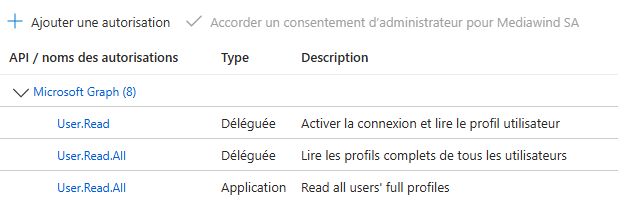
But to call this endpoint, you will need, for example, the "User.Read.All" permission.
Go to your Microsoft Entra admin center ➔ Applications
Applications ➔ Enterprise applications
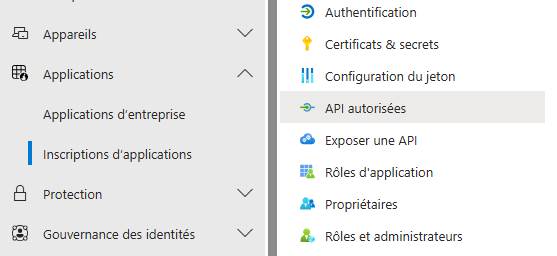
Once on the correct page, "Authorized APIs", simply add the desired permissions. They will then be listed as follows:
To test and review these permissions, go to: Graph Explorer